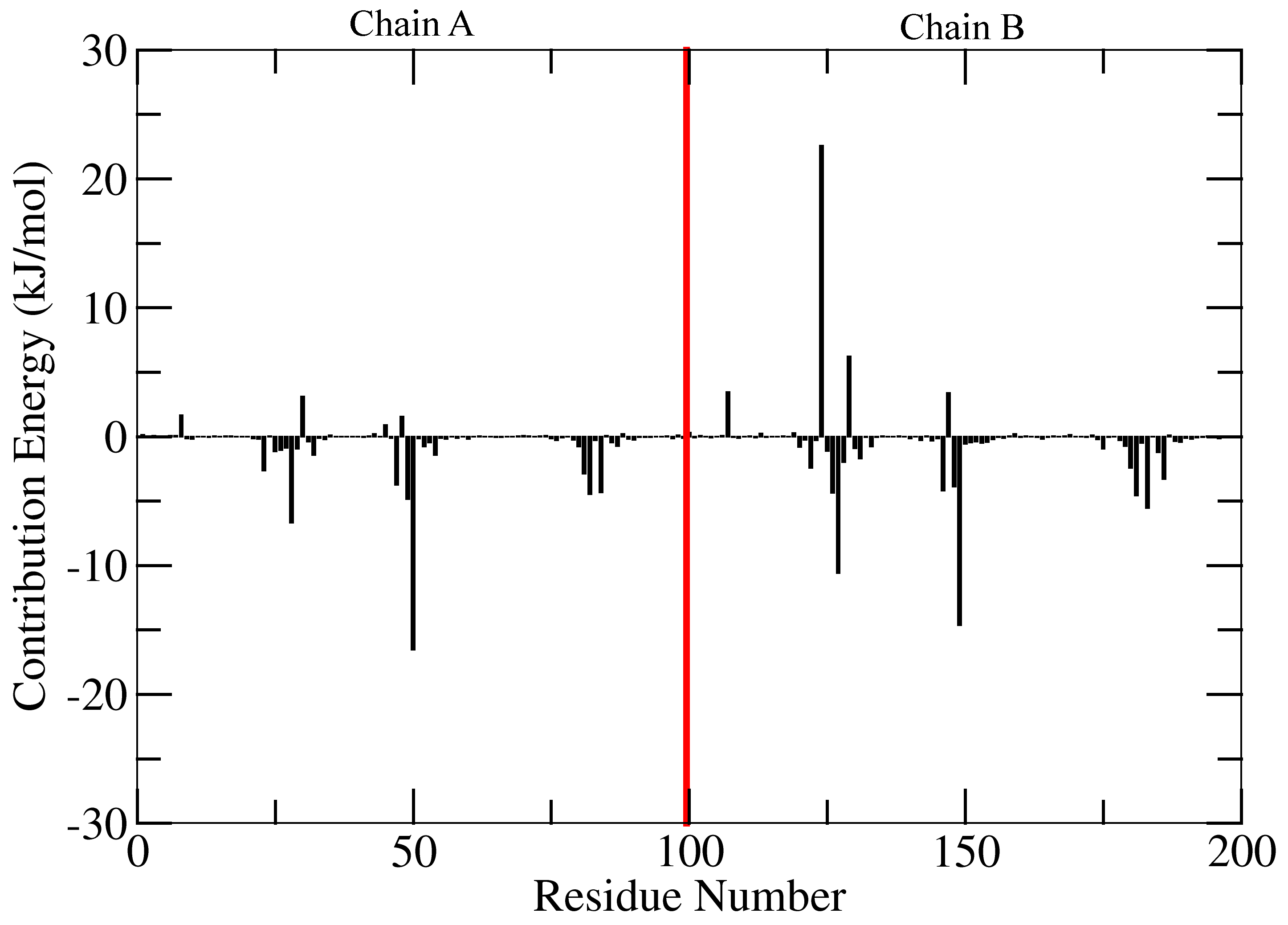
Contribution of residues to the binding energy
This tutorial is continuation of a previous tutorial. The required input files for this tutorial were generated in previous one. To calculate average contribution of the residues to the binding energy following command can be used:
g_mmpbsa decompose -bs -nbs 2000 -m contrib_MM.dat -p contrib_pol.dat -a contrib_apol.dat
Three files final_contrib_energy.dat, final_contrib_energy.csv and energyMapIn.dat
are obtained after executing the above command. final_contrib_energy.dat and final_contrib_energy.csv
contains average with standard error (without bootstrap: standard deviation) values of the
energy of contribution to all three energetic terms including binding energy for each residues.
The contribution energy of residues could be plotted using file energyMapIn.dat
with xmgrace/matplotlib/gnuplot, although value of last residue (inhibitor) should be
removed during plotting. For example, a xmgrace format file is provided in tutorial/1EBZ/output.
Visualization of contribution energy in VMD
To visualize the contribution energy of residue with its structure,
a PDB file containing energy values in B-factor field is required.
This file could be generated using either g_mmpbsa run with -opdb option or
using g_mmpbsa energy2bfac command.
g_mmpbsa energy2bfac -s 1EBZ_pbc_corrected.tpr -i energyMapIn.dat
Three files complex.pdb, subunit_1.pdb and subunit_2.pdb are obtained with
default names. subunit_1.pdb and subunit_2.pdb are the PDB structure file for
first and second group number, respectively. Now, load the PDB file in the VMD as follows:
vmd subunit_1.pdb
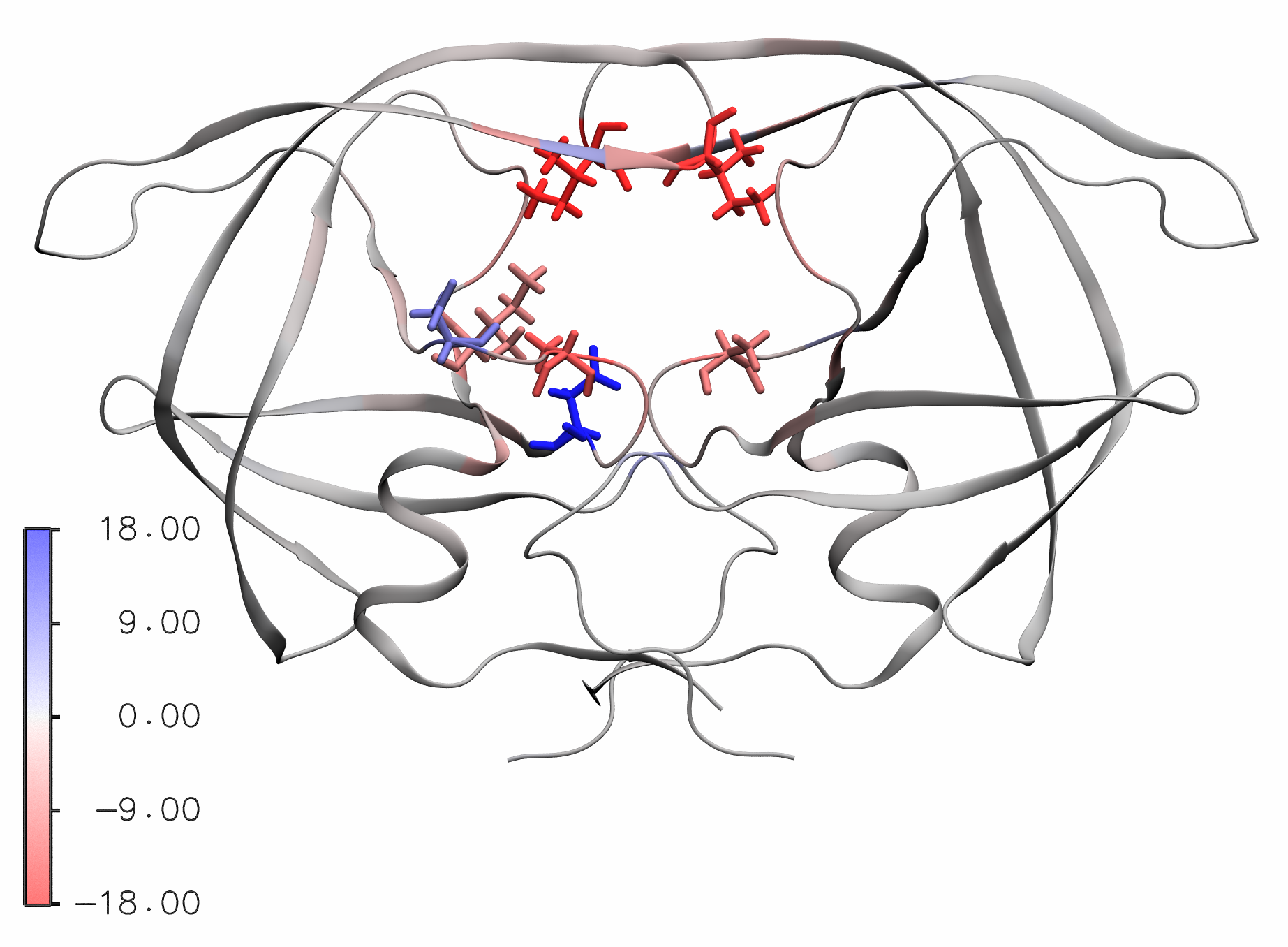
Change graphical representation to NewCartoon in Drawing Method.
Change Coloring Method to Beta. To get a color scale bar, go to
Extension → Visualization → Color Scale Bar.
Choose Autoscale: On. Chose Label format: Decimal.
Then, click on Color Scale Bar.
One could visualize the protein as shown in following figure in which residues with energy < -5.0 and energy > 5.0 are shown in licorice representation.
This visualization state could be loaded in VMD as file is provided in
tutorial/1EBZ/output/contribution_energy.vmd.
Previously obtained subunit_1.pdb file should be present in the current directory.
Open VMD, click on File → Load Visualization State … and open the provided
contribution_energy.vmd file.